
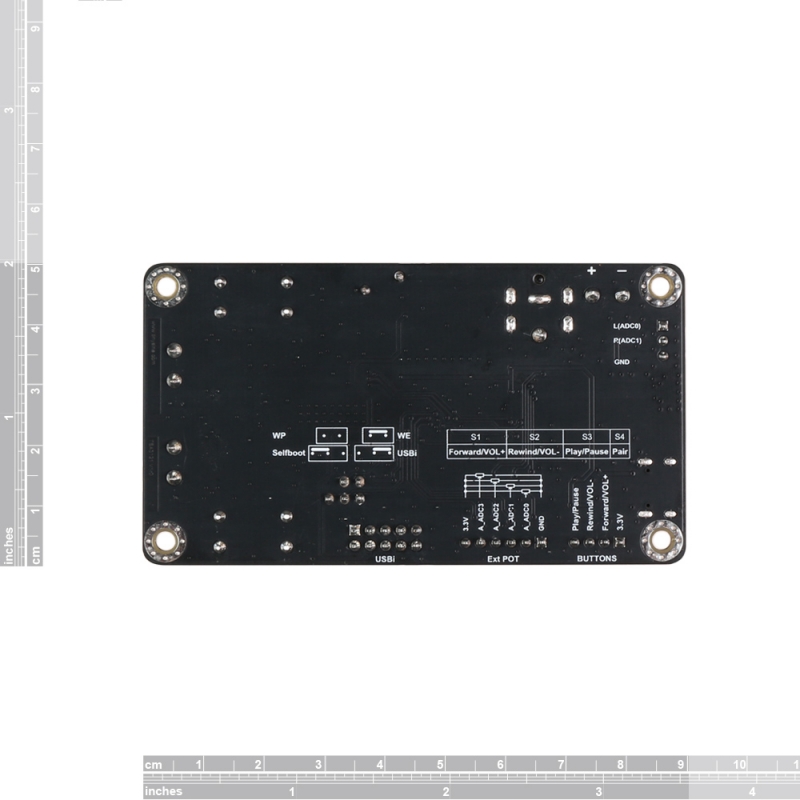
2 x 30W Bluetooth+USB sound card+DSP Audio Amplifier Board – TSA3121
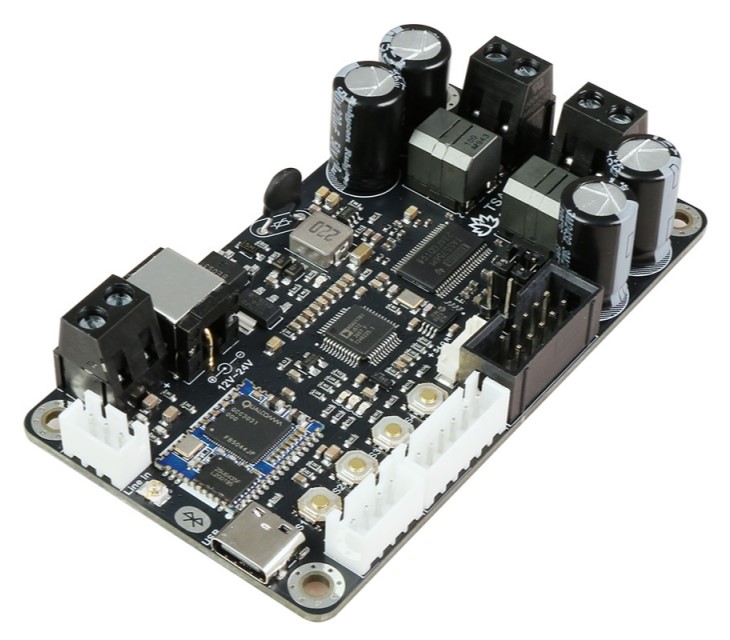
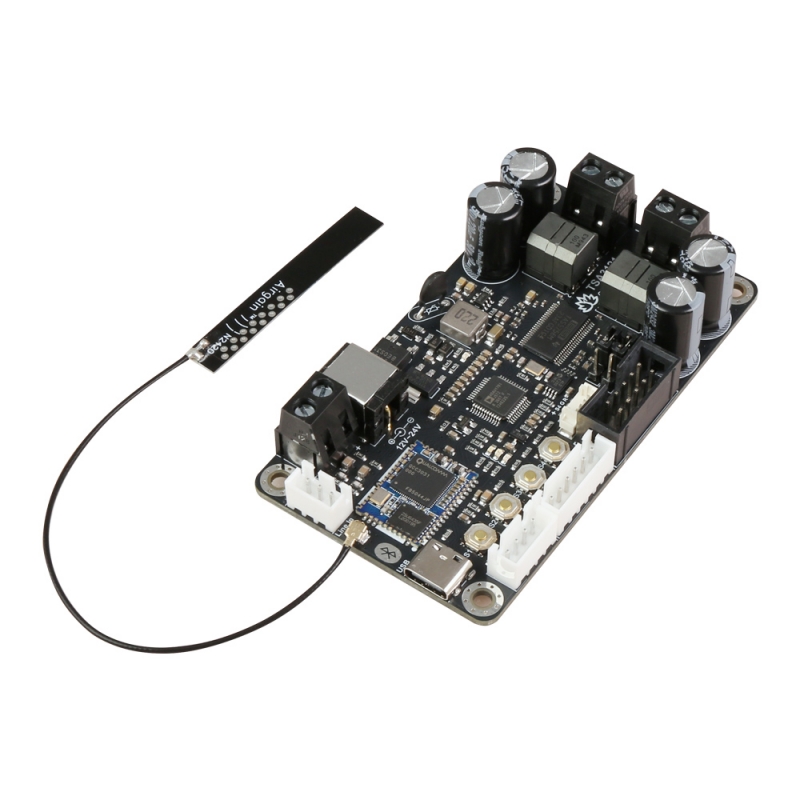
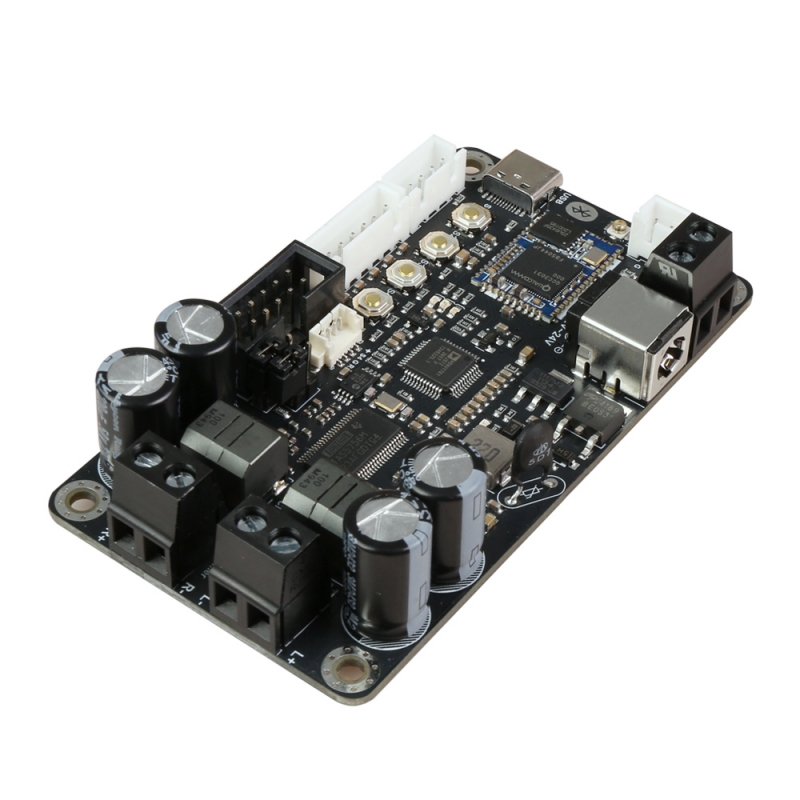
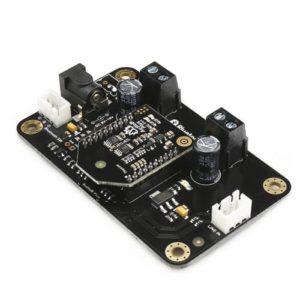
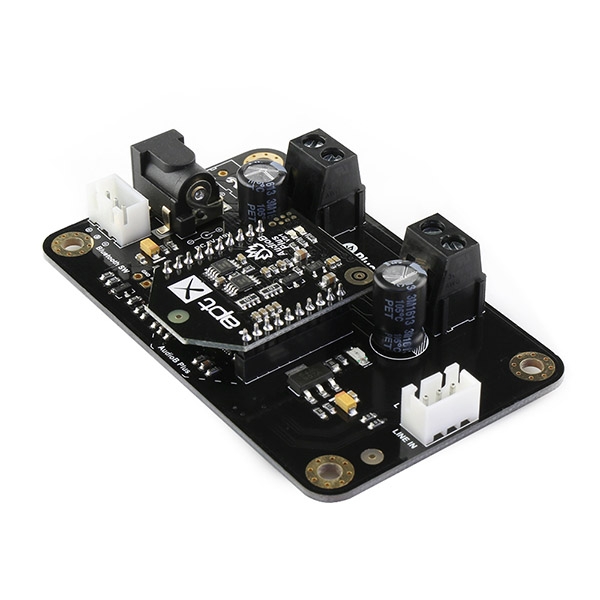
TSA3121 is a 2x30W Stereo Bluetooth 5.0 digital audio amplifier board. It has a digital Input, a Closed-Loop Class-D Amplifier chip TSA5756M, and each channel has a maximum 30W power output. Both channels can output nominal power simultaneously and continuously. Any DC12V-24V power supply can power this board. It can be used to drive any 4Ω or 8Ω passive speakers.
It’s a 2-channel amplifier board. You can pair it with a mobile phone or a computer (etc). Power the amplifier board. Use your phone or PC (etc) to search for a new Bluetooth device. The module will appear as “TSA3121”. You don’t need a PIN; pair it, and then you can play music.
The highlight point is the ADAU1701 DSP chip on board. It has a default DSP program loaded. Customers can adjust the gain, Bass, midrange, and treble in the DSP program. It also has a debug port for Sigima Studio, and the user can program this module with our USBi programmer to add more functions, including equalization, crossover, bass enhancement, multiband dynamics processing, delay compensation, etc. TSA3121 supports Apt-X and TWS. Therefore, Users can stream audio to 2 paired amplifier boards at the same time wirelessly. You can also connect multiple boards wirelessly if you select party mode firmware.
TSA3121 has a USB-C port on the board. It will become a USB sound card if you connect it to your PC.
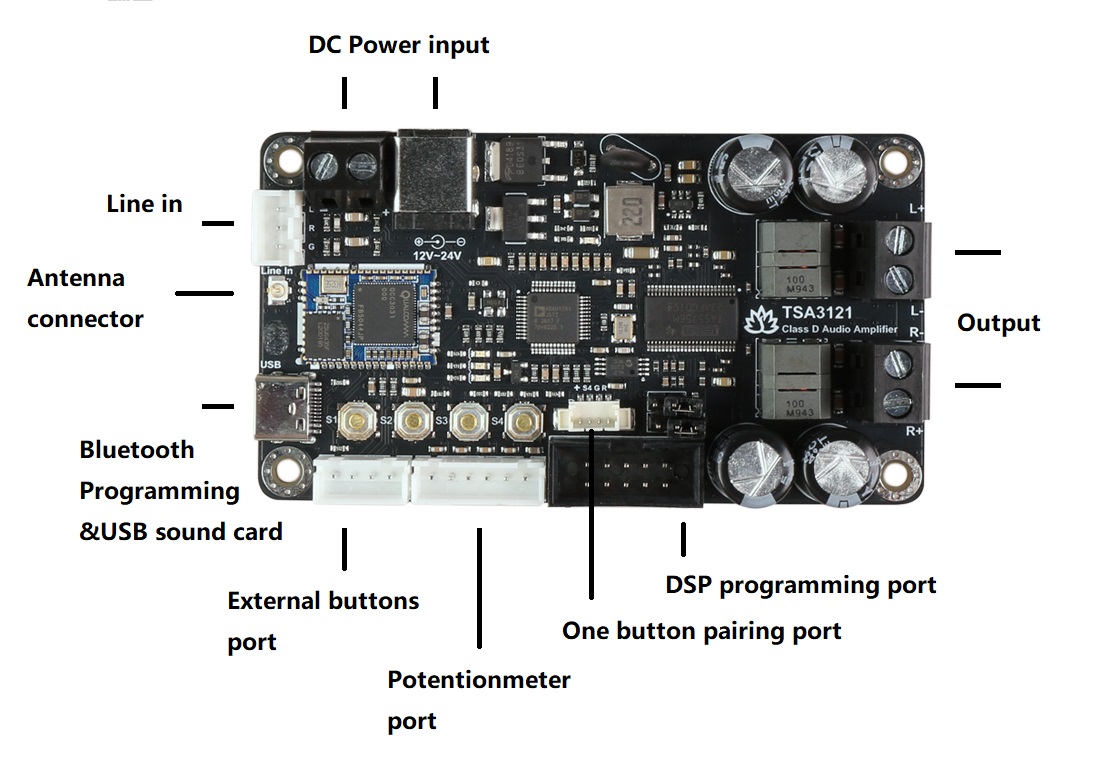
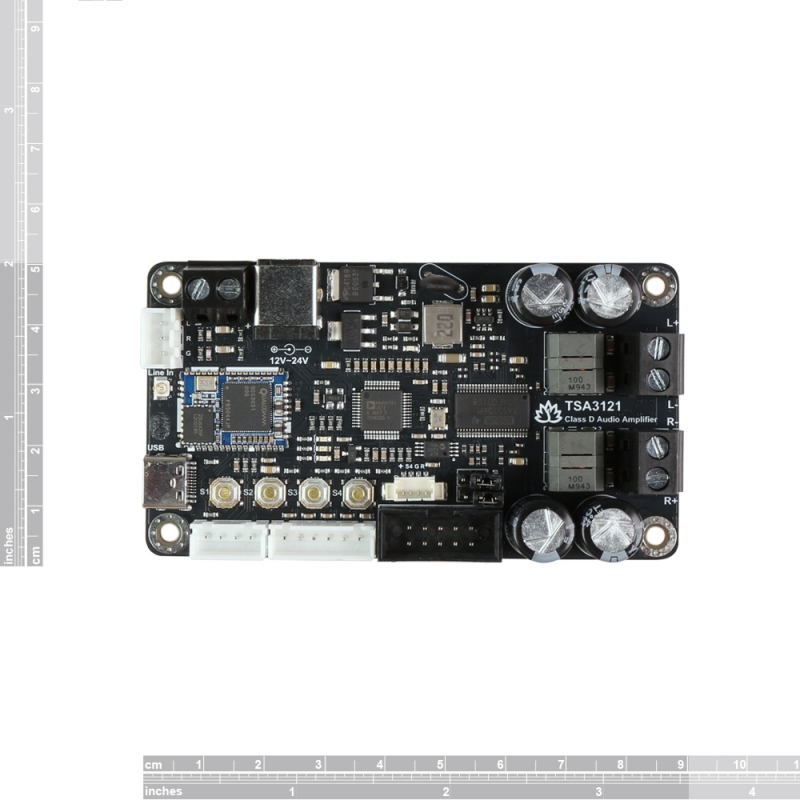
One-button pairing port: Please read this tutorial to understand what one-button pairing is. Here is the RGB push button link.
External Button port: You can connect our Panel Mount Buttons Kit for Amplifier to TSA3121’s external buttons port; it works the same as buttons on the board.
Volume control POT port: There is an Ext POT port on the board. You can connect external POTs (5K~20K) to control the Main volume, treble, middle, and Bass. Please update the DSP program first. DSP program (with external POTs). This is our POT kit.
- ADC0- Main volume.
- ADC1- Bass volume.
- ADC2- Middle volume.
- ADC3- Treble volume.
DSP programming port: The user can load a new DSP program by using the USBi JTAG Sigma DSP programmer.
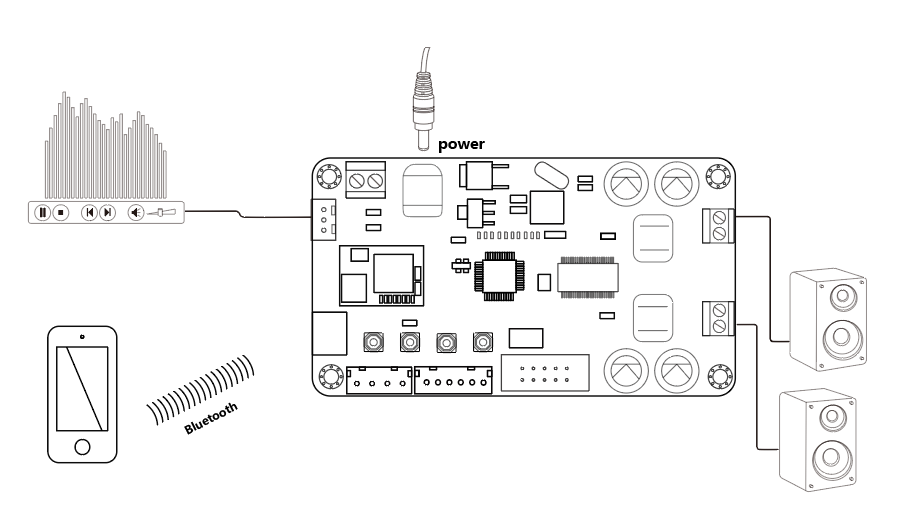
One board works like a normal Bluetooth amplifier.
How to use:
TWS firmware (single board)
- Power up TSA3121 and wait for 5 seconds. The board will enter pairing mode, and the red and green LEDs will flash alternately.
- Now turn on your phone’s Bluetooth, find a Bluetooth device named “TSA3121”, and connect to it. Once connected, the red LED stays solid.
- You can play the music now.
TWS connection (2 boards can be connected)
The S4 Button is equivalent to the external RGB push button.
Master board
- Power up TSA3121 and wait for 5 seconds. The board will enter pairing mode, and the red and green LEDs will flash alternately.
- Now turn on your phone’s Bluetooth, find a Bluetooth device named “TSA3121”, and connect to it. Once connected, the red LED stays solid.
- You can play the music now.
- To pause the music, press and hold button S4 for about 2 seconds; you will hear two beep sounds, and the green LED will start flashing.
Slave board
- Power up the other TSA3121 and wait for 5 seconds; the red and green LEDs will flash alternately.
- Press and hold button S4 for about 2 seconds; you will hear two beep sounds.
- After a moment, when the master and slave are successfully paired, the green LEDs on both the master and slave will stay solid.
- The master board and slave board can play music now.
Party firmware (single board)
- Power up TSA3121; the blue LED flashes 3 times per cycle, accompanied by voice prompts for current mode: transmitter mode(red LED ON) or receiver mode(green LED ON).
- Double-click the S4 button to put TSA3121 into pairing mode. (Voice: Pairing, blue LED flashes 2 times per cycle.)
- Now, your smartphone will be able to find a new Bluetooth device named “TSA3121”; connect it. (Voice: Pairing successful, blue LED flashes 1 time per cycle.)
- You can play the music now.
Party connection (multiple boards can be connected)
Transmitter board
- Power up TSA3121; the blue LED flashes 3 times per cycle, accompanied by voice prompts for current mode: transmitter mode(red LED ON) or receiver mode(green LED ON).
- Double-click the S4 button to put TSA3121 into pairing mode. (Voice: Pairing, blue LED flashes 2 times per cycle.)
- Now, your smartphone will be able to find a new Bluetooth device named “TSA3121”; connect it. (Voice: Pairing successful, blue LED flashes 1 time per cycle.)
- If the red LED is ON, the board is in transmitter mode; no need to operate step 5.
- If the green LED is ON, click the S4 button; the board enters transmitter mode. (Voice: transmitter mode, red LED ON)
Receiver board
- Power up TSA3121; the blue LED flashes 3 times per cycle, accompanied by voice prompts for current mode: transmitter mode(red LED ON) or receiver mode(green LED ON).
- If the green LED is ON, the board is in receiver mode; no need to operate step 3.
- If the red LED is ON, click the S4 button; the board goes into receiver mode. (Voice: receiver mode, green LED ON)
- Long-press the S4 button on the transmitter board; long-press the S4 button on the receiver board. The transmitter board will auto-search (30 seconds) the receiver board. (Voice: searching)
- Both transmitter and receiver boards will be connected. (Voice: pairing successful)
- The receiver board will have music out now.
- If a new TSA3121 wants to join as a receiver board, repeat step1~step4 on the new TSA3121 board.
- If a receiver board wants to quit, click the S4 button on that board to set it into transmitter mode.
Note: If you don’t hear the voice prompt when clicking the S4 button, please click S4 to switch the mode, then click S4 again.
The following table lists all typical data of the Amp board. For full specification, please refer to the datasheet of TI’s TAS5756M chip.
TA = 25 °C, fIN = 1 kHz sine wave, RL = 4 Ω, VCC = 24 V. (Unless otherwise stated)
| Parameter | Condition | Min | Typ | Max |
| Supply Voltage (VDC) | – | 12 | – | 24 |
| Quiescent Current (mA) | – | – | 85 | – |
| Full-Scale Input | 2V rms | |||
| Input Impedance (Kohm) | – | 17.8 | 30 | 42 |
| Gain (dB) | Can be changed in the DSP program | – | 26 | – |
| Output Power (Per channel) | THD+N = 0.1% | – | 28W | – |
| Efficiency (%) |
Both channels output rated power.
|
– | >90 | – |
| Minimum Load (ohm) | – | – | 3 | – |
| Frequency Response (dB) | ±3dB | 20 | – | 22k |
| Operating Temperature (℃) | – | 0 | 20 | 50 |
Features:
- Size: 105*75*20mm
- Bluetooth 5.1
- I2S Sampling Rate: 48KHz
- Wide-range 12-V to 24-V Supply Voltage Operation
- TWS firmware: aptX, aptX-HD, SBC, and AAC
- Party mode firmware: SBC
- 2 channels
- ADAU DSP integrated
- TWS or Multi-point connection
- Up to 100 boards can be linked together. (Party firmware)
- Effective transmission distance: 80-100m
- Compatible with all Bluetooth devices that support media audio, including iPhone
- Over/under voltage protection
- Overcurrent protection
- Over-temperature protection




















Reviews
There are no reviews yet.