
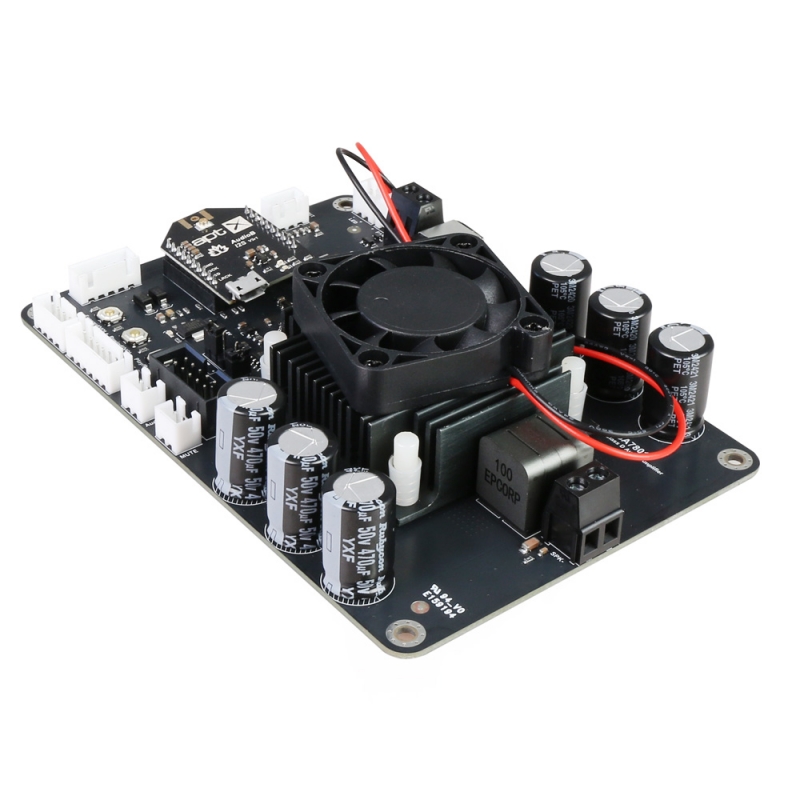
1 x 100W Bluetooth+DSP Mono Audio Amplifier Board – TSA7801B
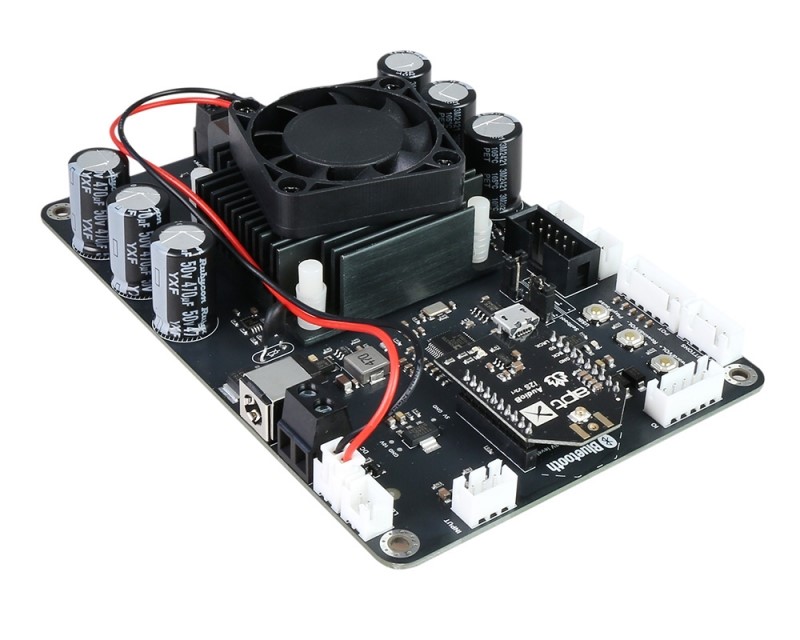
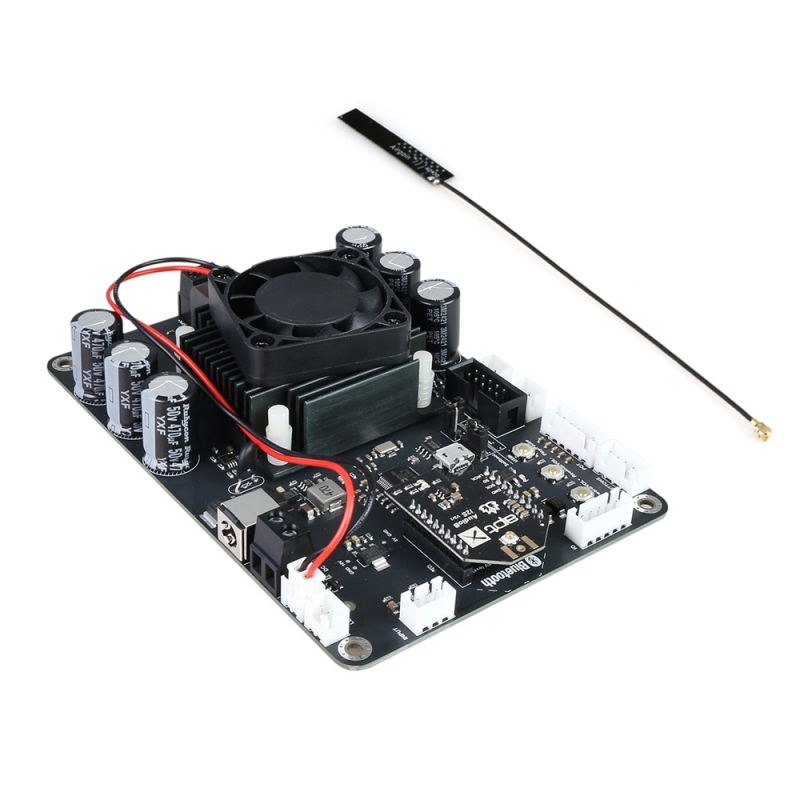
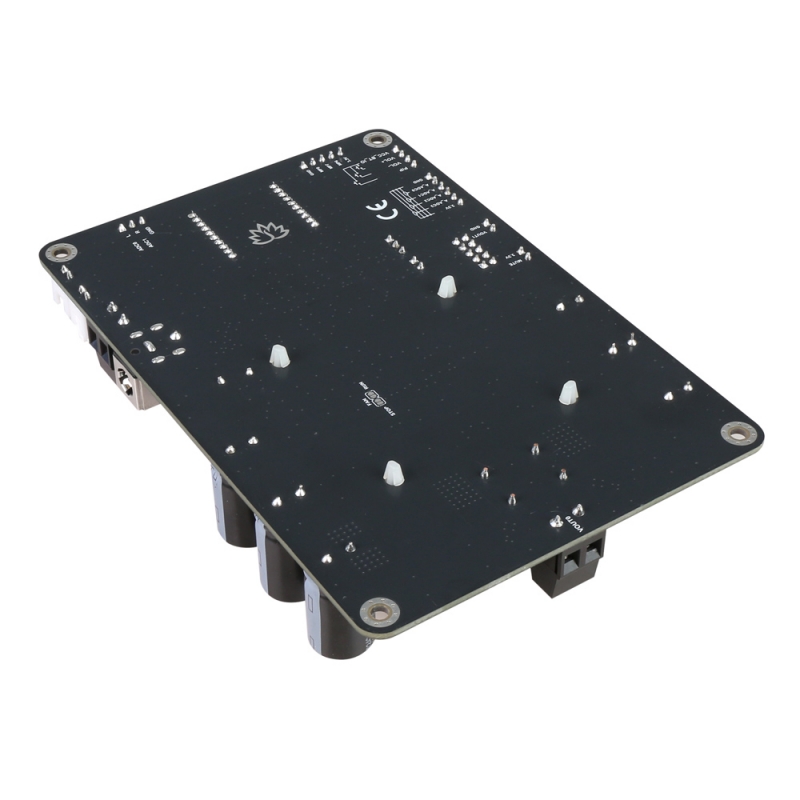
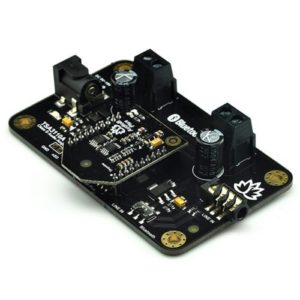
TSA7801B 100W Bluetooth+DSP mono amplifier board with an AudioB I2S Bluetooth module that supports Apt-X. TSA7801B is a very flexible DSP/Amplifier combination board. It features a perfect class-D architecture (Based on TPA3116D2), with a mono channel delivering 100W of power output. Any DC 12V-24V power supply can power this board. It can be used to drive any 3Ω,4Ω, or 8Ω passive speakers. TSA7801B features an innovative cooling system that, in typical cases, uses the fan to reduce noise. Only start the fan when the board overheats.
It’s a one-channel amplifier board. The only channel is a 100W mono output (Bluetooth stereo right and left channels mixed in the DSP program). You can pair it with a mobile phone or a computer (etc). Power the amplifier board. Use your phone or PC (etc) to search for a new Bluetooth device. The module will appear as “TSA7801B”. You don’t need a PIN; pair it, and you can start playing music.
TSA7801B has an ADAU1701 DSP chip on board. It has a default DSP program loaded. Customers can adjust the gain, bass, midrange, and treble in the DSP program. It also features a debug port for Sigima Studio, allowing users to program this module with our USBi programmer to access additional functions, including equalization, crossover, bass enhancement, multiband dynamics processing, and delay compensation.
TSA7801B supports Apt-X and TWS. Therefore, Users can stream audio to two paired amplifier boards simultaneously via wireless transmission.
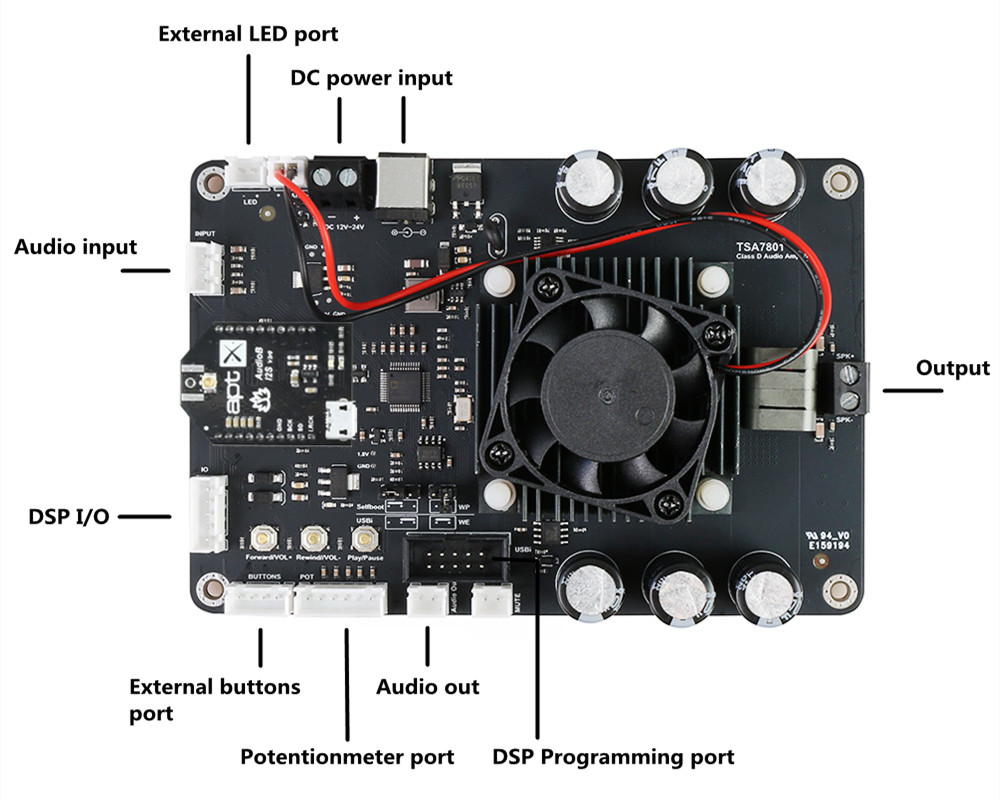
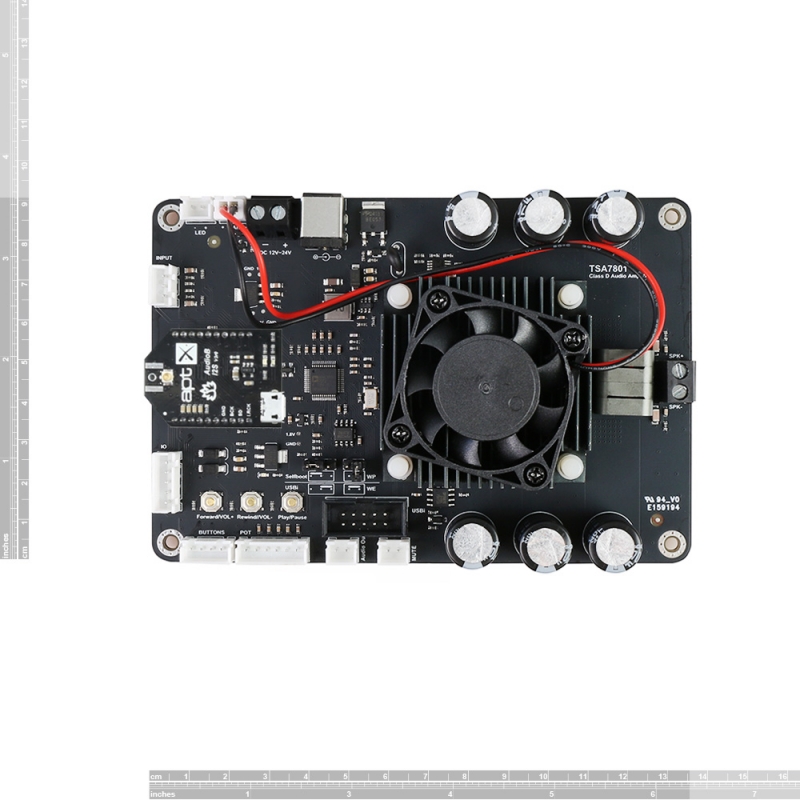
Control buttons: There are three buttons on the board; they have different functions in TWS and Party firmware:
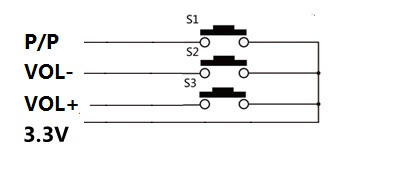
TWS firmware
- Play/Pause: Play/pause music.
- Rewind/Vol-: Long press decreases volume; short click to play the previous song
- Forward/Vol+: Long press increases volume; short click to play the next song
Party firmware
- Play/Pause: Pair button, double-click the board to enter pairing mode
- Rewind/Vol-: TX button, single-click the board into transmitter mode; double-click to search for the receiver board
- Forward/Vol+: RX button, single-click the board into receiver mode; double-click to search for the transmitter board
External Button port: You can connect our Panel Mount Buttons Kit for Amplifier to TSA7801B’s external buttons port; it works the same as the buttons on the board.
Potentiometer port: An Ext POT port is available on the board. You can connect external POTs (5K~20K) to control the Main volume, treble, middle, and Bass. You need to update the DSP program first. This is our POT kit.
- ADC0- Main volume.
- ADC1- Bass volume.
- ADC2- Middle volume.
- ADC3- Treble volume.
DSP programming port: The user can load a new DSP program by using the USBi JTAG Sigma DSP programmer
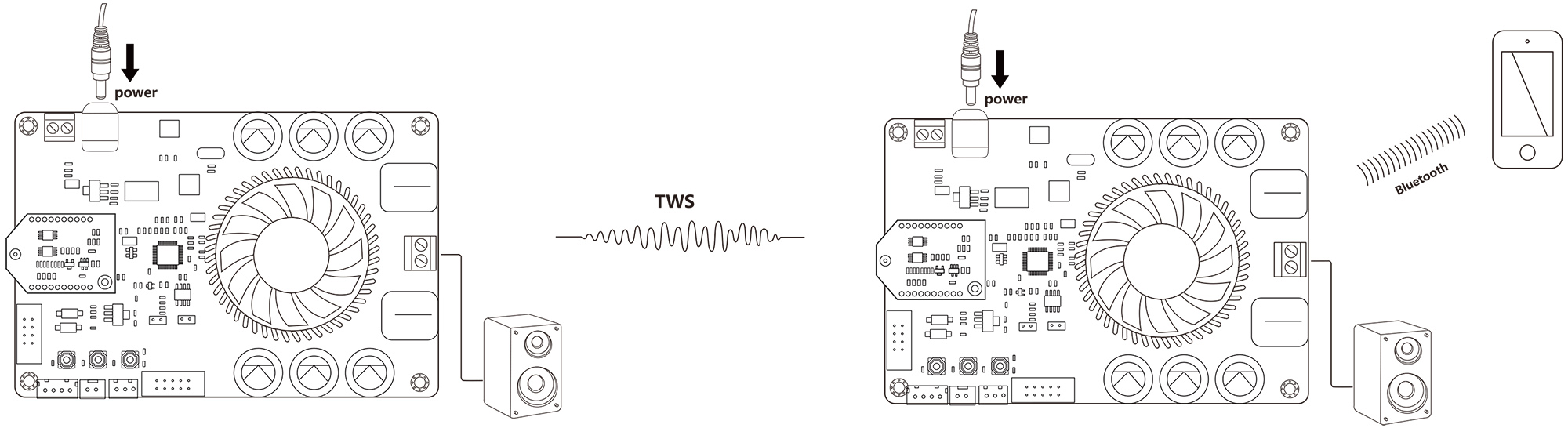
Two boards work in TWS mode. You can also build a wireless stereo system.
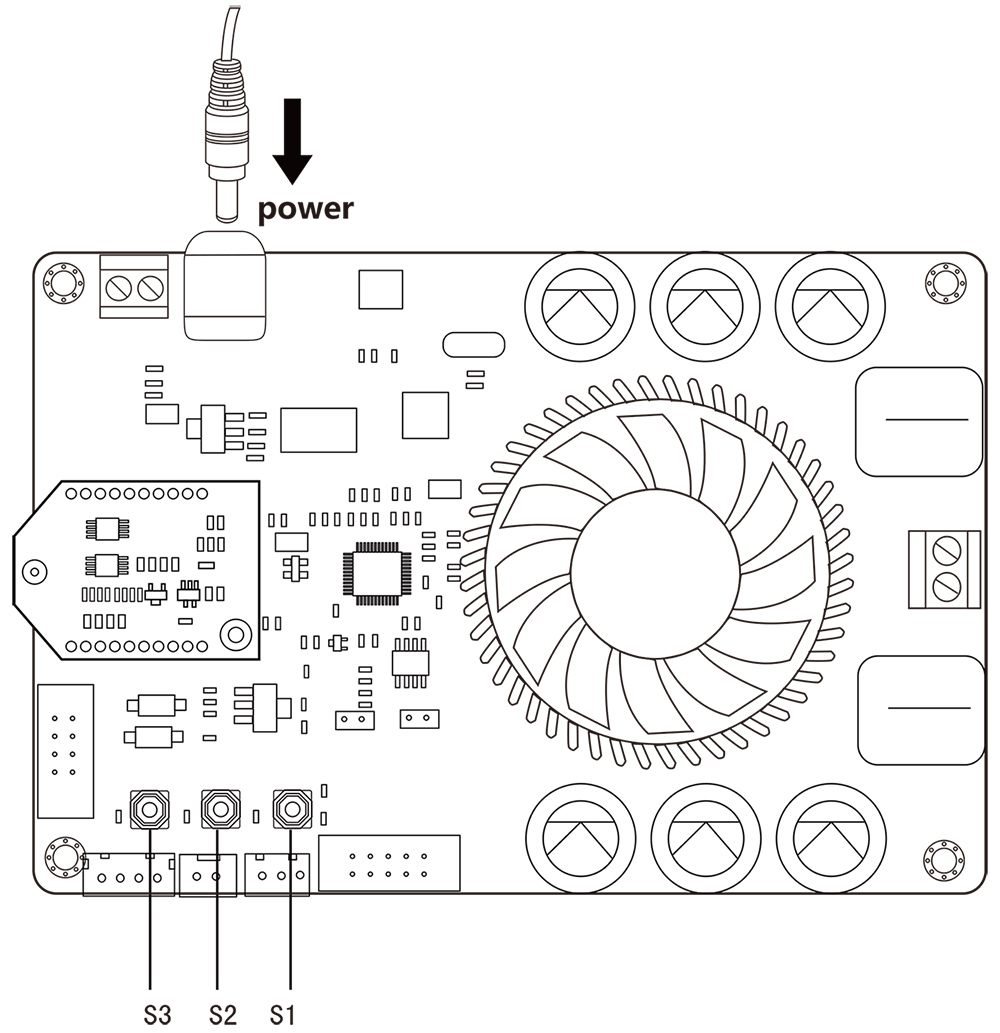
How to use:
TWS firmware (single board)
- Power up the TSA7801B; the red LED will blink slowly, then flash alternately with the blue LED.
- Now, your smartphone will be able to find a new Bluetooth device named “TSA7801B” and connect to it—Blue LED flash.
- You can play the music now.
TWS connection (2 boards can connect)
Master board
- Power up the TSA7801B; the red LED will blink slowly, then flash alternately with the blue LED.
- Now, your smartphone will be able to find a new Bluetooth device named “TSA7801B” and connect to it—Blue LED flash.
- You can play the music now. If you use only one amplifier board, you don’t need to follow the steps below.
- Long-press the S1+S3 button for 1 second to enter TWS master mode. Red and blue LEDs flash alternately.
Slave board
- Power up another TSA7801B. The red LED will blink slowly, then flash alternately with the blue LED.
- Long-press the S1+S2 button for 1 second to enter TWS slave mode. Red and blue LEDs flash alternately.
- The master board will auto-search for the slave board (30 seconds). Both the master and slave boards will be connected.
- The slave board will have music out now.
- To disconnect the TWS connection, long-press the S2+S3 button for 1 second.
Party firmware (single board)
- Power up the TSA7801B; the blue LED flashes 3 times per cycle.
- Double-press the S3 button on the TSA7801B to enter pairing mode. (Voice: Pairing, blue LED flashes 2 times per cycle.)
- Now, your smartphone will be able to find a new Bluetooth device named “TSA7801B” and connect to it. (Voice: Pairing successful, blue LED flashes 1 time per cycle.)
You can play the music now.
Party connection (multiple boards can be connected)
Transmitter board
- Power up the TSA7801B; the blue LED flashes 3 times per cycle.
- Double-click the S3 button, and the TSA7801B goes into pairing mode. (Voice: Pairing, blue LED flashes 2 times per cycle.)
- Now, your smartphone will be able to find a new Bluetooth device named “TSA7801B” and connect to it. (Voice: Pairing successful, blue LED flashes 1 time per cycle.)
- You can play the music now. If you only use one amplifier board. You don’t need to follow the steps below.
- Press the S2 button on the board to enter transmitter mode. (Voice: Broadcast mode)
Receiver board
- Power up another TSA7801B; the blue LED flashes 3 times per cycle.
- Press the S3 button to enter receiver mode. (Voice: Broadcast audio enabled)
- Double-click the S2 button on the transmitter board, and double-click the S3 button on the receiver board. The transmitter board will auto-search for the receiver board (30 seconds). Both the transmitter and receiver boards will be connected.
- The receiver board will now have music output.
- If a new TSA7801B wants to join as a receiver board, repeat steps 1 to 3 on the new TSA7801B board.
- If a receiver board wants to quit, press the S2 button on that board to switch it to transmitter mode.
Specifications:
Specifications typical @ +25℃, Powered by 12-24VDC, RL = 4Ω, unless otherwise noted. Specifications subject to change without notice.
| Parameter | Condition | Min | Typ | Max |
| Supply Voltage (VDC) | – | 12 | 24 | |
| Power output | Parallel BTL (mono) output power, RL = 2 ohm,THD = 10% |
100W | ||
| THD+N | Vcc = 21V, f = 1kHz, Po = 25W | 0.1% | ||
| Bandwidth @ ±3dB | @4Ω | 20Hz | – | 20KHz |
| Input Impedance | Output filter: L = 10uH, C = 1uF | 1.6Ω | ||
| Undervoltage protection threshold |
||||
| Minimum Load Impedance | 2Ω | |||
| Gain(dB) | R36 = 5.6kΩ, R33 = NC | 19 | 20 | 21 |
| R36 = 20kΩ, R33 = 100kΩ | 25 | 26 | 27 | |
| R36 = 39kΩ, R33 = 100kΩ | 31 | 32 | 33 | |
| R36 = 47kΩ, R33 = 75kΩ | 35 | 36 | 37 | |
| Efficiency | – | 85% | – |
Features:
- Size: 13.5cm x 9.2cm x 3.5cm
- TWS firmware: aptX, aptX-HD, SBC, and AAC
- Party mode firmware: SBC
- ADAU DSP integrated
- Bluetooth 5.1
- I2S sampling rate: 48 kHz
- Mono output
- Working voltage: DC12V-24V
- Smart cooling system
- Over/under voltage protection
- Overcurrent protection
- Over-temperature protection
Applications:
- Personal computer
- Background music system
- Musical instrument amplifiers
- Home DIY
- Car audio




















Reviews
There are no reviews yet.