
TSA1453B Bluetooth + DSP Audio Receiver Board
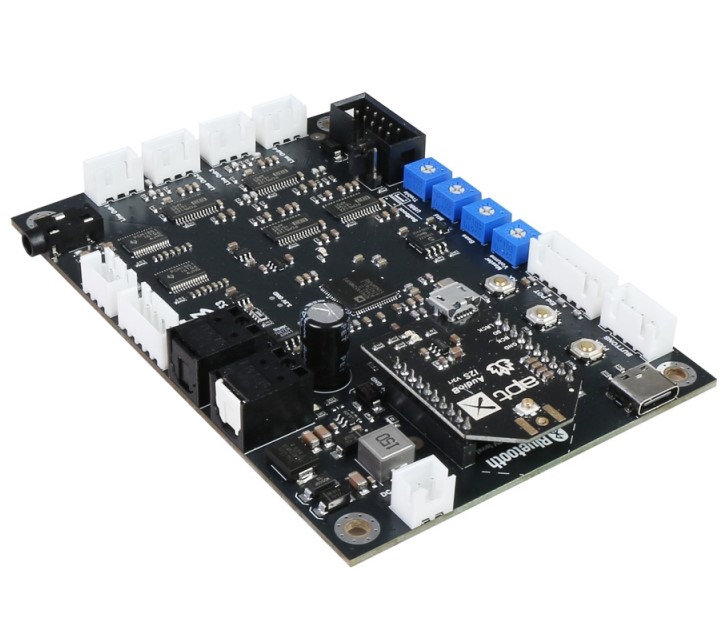
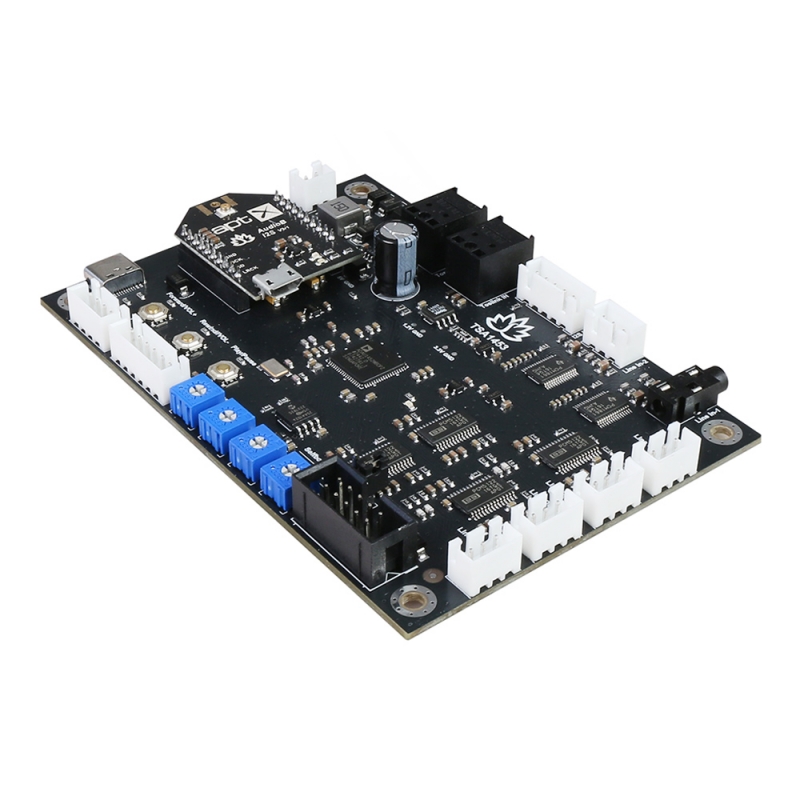
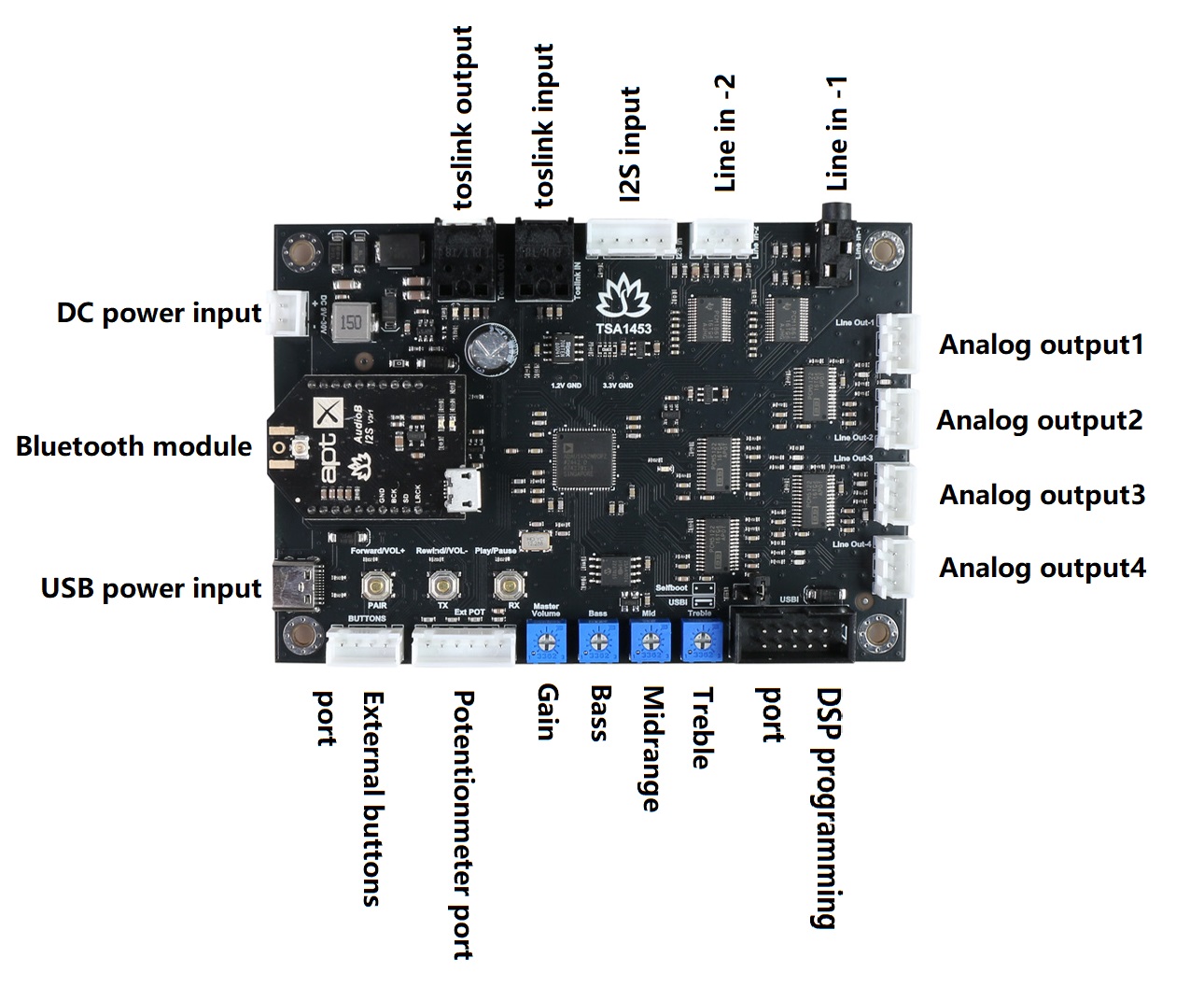
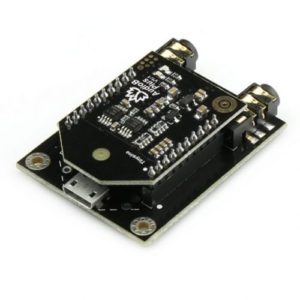
The TSA1452B TSA1453B is an enhanced Bluetooth + DSP board with an AudioB I2S v3 module that supports Apt-X. A USB-C cable or a DC 9V-30V power supply can power it. You can pair it with a mobile phone or a computer (etc). Power the board, use your phone or PC (etc) to search for a new Bluetooth device. The module will appear as “TSA1453B”. You don’t need a PIN; pair it, and then you can play music.
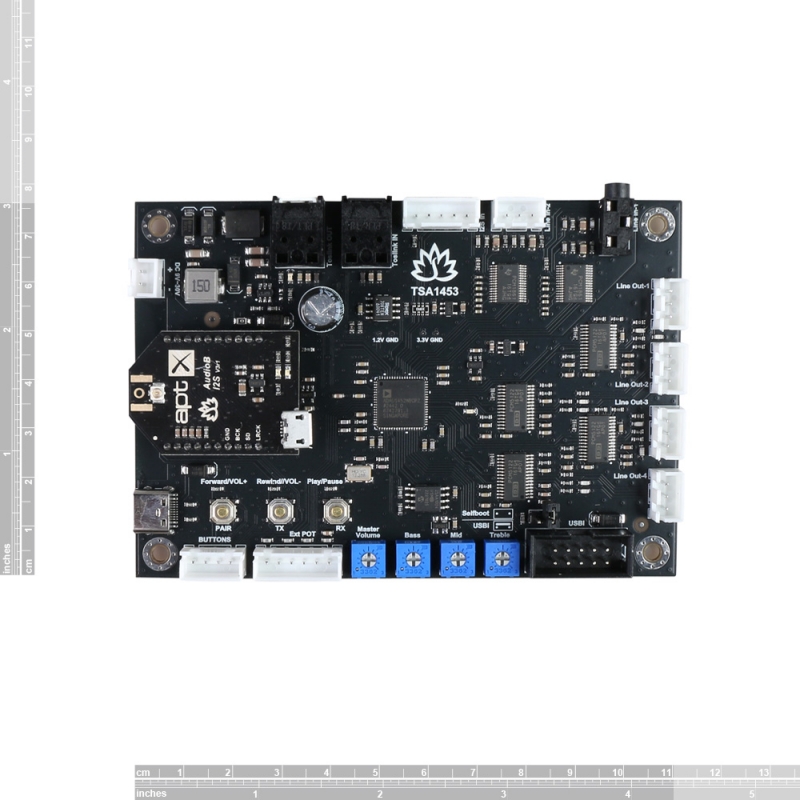
The TSA1453B is a complete audio digital signal processing module. It has 4 stereo analog outputs and one TOSlink output. The main DSP chip on this module is ADAU1452. The application range from active loudspeaker concepts (digital 3-way 3-unit, 2-way 2-unit crossover, bass enhancement, etc.) and realizes the transformation from 2.0 to 2.1. It has four potentiometers and has a default program loaded. Customers can adjust the gain, bass, midrange, and treble. It also has a debug port for Sigima Studio, and users can program this module with our USBi programmer to enable additional functions, including equalization, crossover, bass enhancement, multiband dynamics processing, and delay compensation.
How to use:
TWS firmware (single board)
- Power up the TSA1453, red LED slow blink, then red and blue LED flash alternately.
- Now, your smartphone will be able to find a new Bluetooth device named “TSA1453” and connect to it—Blue LED flash.
- You can play the music now.
TWS connection (2 boards can be connected)
Master Board
- Power up the TSA1453, red LED slow blink, then red and blue LED flash alternately.
- Now, your smartphone will be able to find a new Bluetooth device named “TSA1453” and connect to it—Blue LED flash.
- You can play the music now. If you use only one amplifier board, you don’t need to follow the steps below.
- Long-press the S1+S3 button for 1 second to enter TWS master mode. Red and blue LED flash alternately.
Slave Board
- Power up another TSA1453, red LED slow blink, then red and blue LED flash alternately.
- Long-press the S1+S2 button for 1 second to enter TWS slave mode. Red and blue LED flash alternately.
- The master board will auto-search the slave board (30 seconds) slave board. Both the enslaver and slave boards will be connected.
- The slave board will have music out now.
- To disconnect the TWS connection, press and hold the S2 + S3 buttons for 1 second.
Party firmware (single board)
- Power up the TSA1453; the blue LED flashes 3 times per cycle.
- Double-click the S3 button to put the TSA1453 into pairing mode. (Voice: Pairing, blue LED flash 2 times per cycle.)
- Now, your smartphone will be able to find a new Bluetooth device named “TSA1453” and connect to it. (Voice: Pairing successful, blue LED flash 1 time per cycle.)
- You can play the music now.
Party connection (multiple boards can be connected)
Transmitter board
- Power up the TSA1453; the blue LED flashes 3 times per cycle.
- Double-click the S3 button to put the TSA1453 into pairing mode. (Voice: Pairing, blue LED flash 2 times per cycle.)
- Now, your smartphone will be able to find a new Bluetooth device named “TSA1453” and connect to it. (Voice: Pairing successful, blue LED flash 1 time per cycle.)
- You can play the music now. If you only use one amplifier board. You don’t need to follow the steps below.
- Press the S2 button, board into transmitter mode. (Voice: Broadcast mode)
Receiver Board
- Power up another TSA1453, blue LED flash 3 times per cycle.
- Press the S3 button, board into receiver mode. (Voice: Broadcast audio enabled)
- Double-click the S2 button on the transmitter board, double-click the S3 button on the receiver board, and the transmitter board will auto-search (30 seconds). Both the transmitter and receiver boards will be connected.
- The receiver board will now have music out.
- If a new TSA1453 wants to join as a receiver board, repeat steps 1-3 on the new board.
- If a receiver board wants to quit, click the S2 button on that board to set it into transmitter mode.
Pins Define:
| Port name | Pin name | Direction | Description |
| TOSLINK Input | SPDIFIN | input | |
| TOSLINK Output | SPDIFOUT | output | |
| External Potentiometers port | ADC0 | input | Gain control |
| ADC1 | input | Treble control | |
| ADC2 | input | Midrange control | |
| ADC3 | input | Bass control | |
| Line in 1 | BCLK_IN0 | input | |
| LRCLK_IN0 | input | ||
| SDATA_IN0 | input | ||
| Line in 2 | BCLK_IN1 | input | |
| LRCLK_IN1 | input | ||
| SDATA_IN1 | input | ||
| I2S input | BCLK_IN2 | input | |
| LRCLK_IN2 | input | ||
| SDATA_IN2 | input | ||
| Bluetooth input | BCLK_IN3 | input | |
| LRCLK_IN3 | input | ||
| SDATA_IN3 | input | ||
| Line out 1 | LRCLK_OUT3 | output | |
| BCLK_OUT3 | output | ||
| SDATA_OUT3 | output | ||
| Line out 2 | LRCLK_OUT2 | output | |
| BCLK_OUT2 | output | ||
| SDATA_OUT2 | output | ||
| Line out 3 | LRCLK_OUT1 | output | |
| BCLK_OUT1 | output | ||
| SDATA_OUT1 | output | ||
| Line out 4 | LRCLK_OUT0 | output | |
| BCLK_OUT0 | output | ||
| SDATA_OUT0 | output |
Control buttons:
There are 3 buttons on the board; they have different functions in TWS and Party firmware:
TWS firmware
- Play/Pause: Play/pause music
- Rewind/Vol-: long press decreases volume, short click to play the previous song
- Forward/Vol+: long press increases volume, short click to play the next song
Party firmware
- Pair: double-click the board into pairing mode
- TX: single click board into transmitter mode; double click to search the receiver board
- RX: single click board into receiver mode; double to search the transmitter board
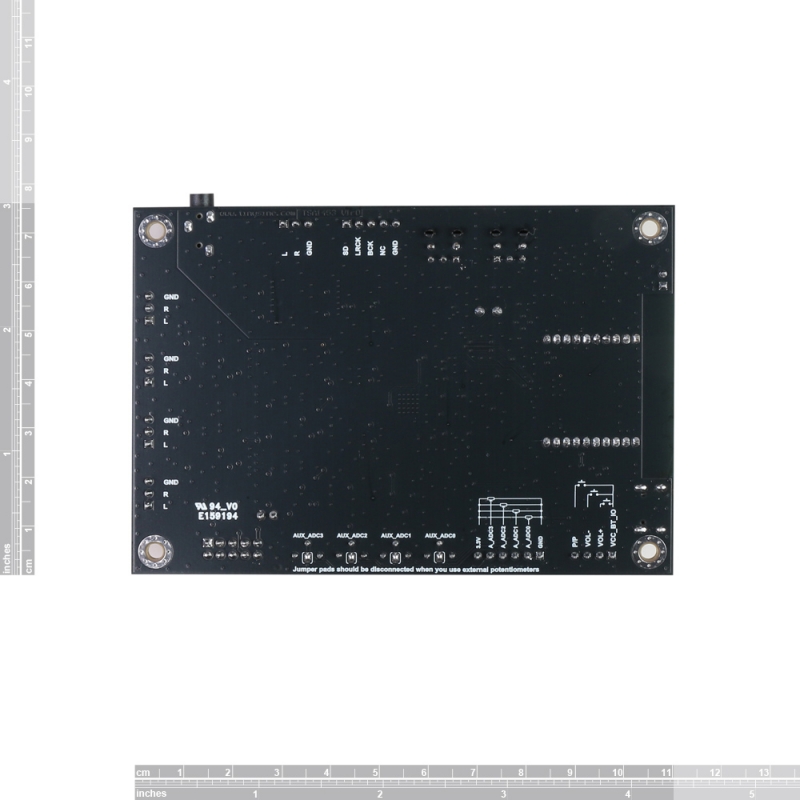
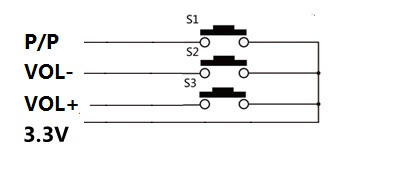
Pins define: (Check the board backside silkscreen):
You can also connect our Panel Mount Buttons Kit for Amplifier to TSA1453’s external buttons port; it works the same as the buttons on the board.
Potentiometers port:
You can connect external POTs (5K~20K) to control the Main volume, treble, middle, and bass. This is our POT kit
- ADC0- Main volume.
- ADC1- Bass volume.
- ADC2- Middle volume.
- ADC3- treble volume.
Warning: Disconnect the soldering pads on the back of the board when connecting external potentiometers. Or the ADC port may be burned. Potentiometers value: 1Kohm-100Kohm.
DSP programming port:
TSA1453’s DSP detects both Bluetooth and Line-in signals, but the default program assigns Bluetooth a higher priority. If a Bluetooth signal is detected, the TSA1452 will output the Bluetooth audio source; otherwise, it will output the Line-in audio source. You can develop a DSP program to meet your requirements, then load it using the USBi JTAG Sigma DSP programmer.
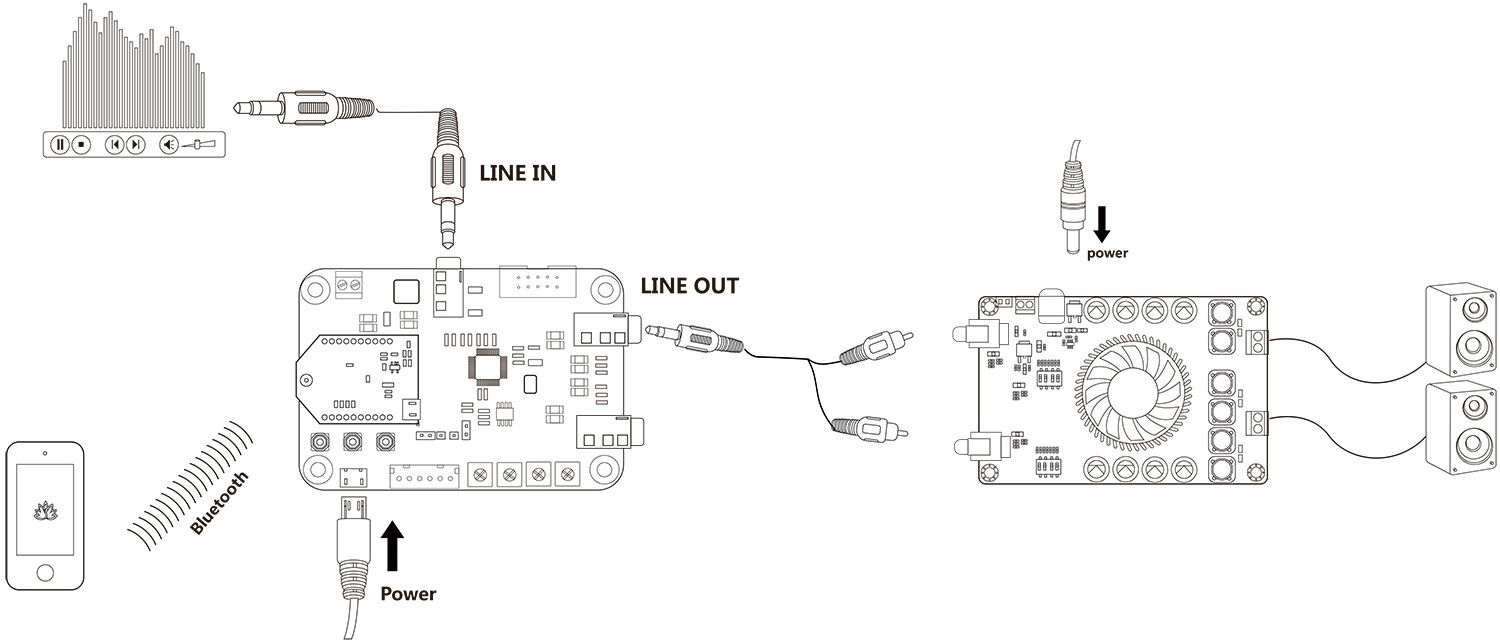
TSA1452B works with the stereo amplifier board
Features:
- Size: 11cm x 7.5cm x1.5cm
- Powerful Digital Audio Processor Up to 294.912 MHz, 32-bit SigmaDSP core at 1.2 V
- ADC Chip: PCM1861
- DAC Chip: PCM5122
- Analog audio out output level: 2Vrms
- Analog audio input signal range: 2Vrms
- Input resistance: 20Kohm
- Fully Programmable with SigmaStudio Graphical tool
- 5V type C USB or DC9-30V Power input
- Current draw: 23mA@12VDC
- Bluetooth 5.1
- I2S Sampling Rate: 48KHz
- I2S logic level: 3.3V
- TWS firmware: aptX, aptX-HD, SBC, and AAC
- Party mode firmware: SBC
- ADAU DSP integrated
- TWS or Multi-point connection
- Up to 100 boards can be linked together. (Party firmware)
- Effective transmission distance: 80-100m




















Reviews
There are no reviews yet.