Posted on

How to STOP Spam Accounts for WordPress and WooCommerce

If you are not using WooCommerce, go to the WordPress backend > Settings > Scroll to see Membership, uncheck Anyone Can Register, and choose New User Default Role as Subscriber.
And SAVE.

Forward all those links below in RED to /wp-login.php/ using the https://redirection.me/ free plugin.

If you use WooCommerce, most fake spam accounts are created from the My Account page. However, you do not need the registration option on that page if you aim only to sell products because customers can also create their accounts on the checkout page. The My Account page can only be used for customers to log in. The My Account link will look like this: https://yoursite.com/my-account/

From your WordPress backend, go to WooCommerce > Settings > Accounts & Privacy.

Checkmark: Allow customers to create an account during checkout
Uncheck: Allow customers to create an account on the “My Account” page
And SAVE.

This will stop all spam accounts created by spambots or human spammers through the My Account page since the account registration option is no longer available there.

Once you disable My Account page registration, desperate spammers may want to use WordPress default links and pages to register fake spam accounts. To prevent that, you must forward all those links to the My Account page so spammers can land on it regardless of what link they visit. You can do all that forwarding by downloading and installing a free plugin called https://redirection.me/

Please fully back up your website before installing https://redirection.me/ because plugins may conflict with one another to harm your website. Please note that this article is only informational to help you stop fake spam accounts on your WordPress website, and we take no responsibility. The forwarding free plugin https://redirection.me/ is a third-party plugin and one of the most used plugins; we have no affiliation.

Once the forwarding plugin https://redirection.me/ is installed on your website, forward all the links below in RED to your My Account page, and it will look like this: https://yoursite.com/my-account/

/wp-login.php?registration/

/wp-login.php/

/wp-login.php?redirect_to=https://yoursite.com/wp-admin/

/wp-login.php?redirect_to=https://yoursite.com/wp-admin/index.php&reauth=1/

/register/

/wp-login.php?action=login/

/wp-admin/

/wp-login.php?action=register/

/wp-login.php?loggedout=true/

DONE. Now, spamBot or spammers cannot create spam accounts automatically or manually.

If you know other links for registration, do the same.

Posted on

Advance Legged Robotics

ANYmal Research is a community for Advance Legged Robotics.

ANYmal is a quadrupedal robot designed for autonomous operation in challenging environments. Driven by unique compliant, and precisely torque-controllable actuators, the system can perform dynamic running and high-mobile climbing.

Thanks to incorporated laser sensors and cameras, the robot can perceive its environment, accurately localize, autonomously plan its navigation path, and carefully select footholds while walking. In addition, ANYmal carries batteries for more than two h autonomy and can carry up to 5-10 kg additional payload.

With a weight of less than 30 kg, ANYmal can be easily transported and deployed by a single operator. In addition, ANYmal is designed for real-world usage and is water- & dust-proof (IP67) and impact robust.

Posted on

Four Legged Robot

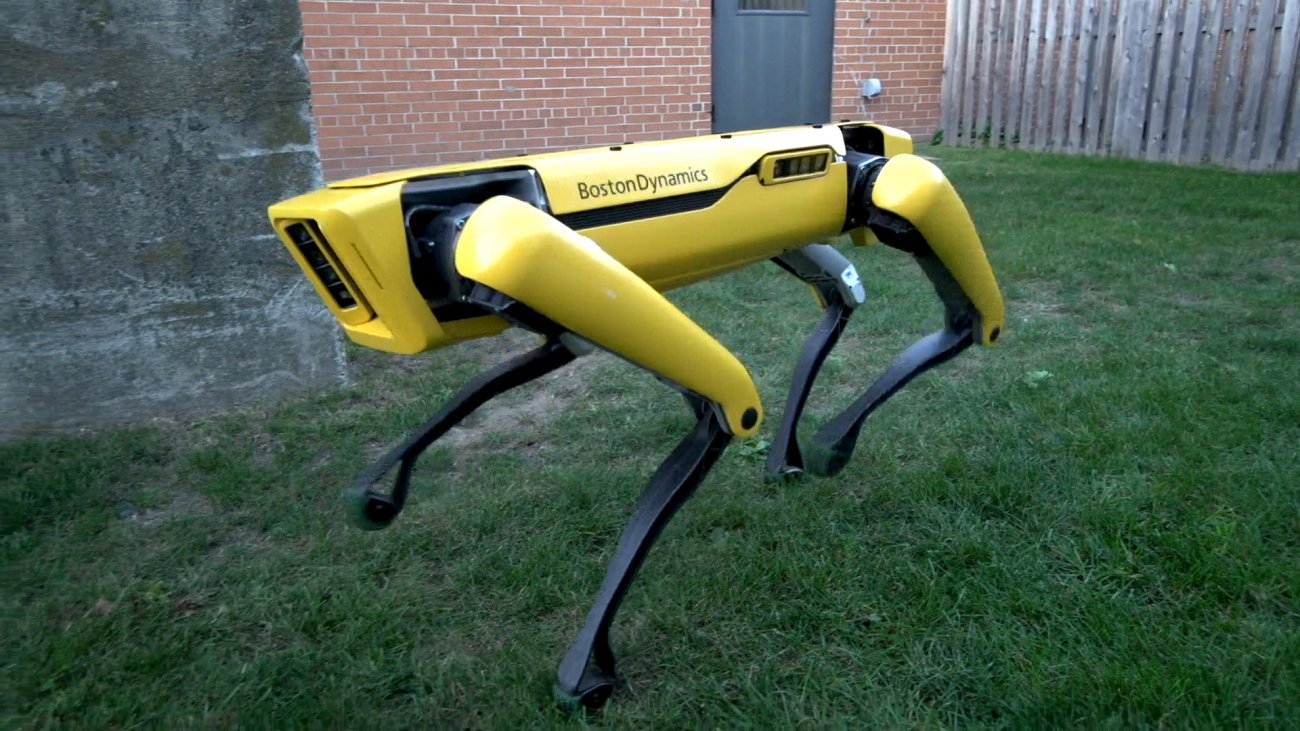
Four-legged Robot that comfortably fits in an Office or Home

The SpotMini is an all-electric (no hydraulics) smaller version of the Spot Robot. It runs for about 90 minutes on a charge. It has a variety of sensors, including depth cameras, a solid-state gyro (IMU), and proprioception sensors in the limbs. These sensors help with navigation and mobile manipulation. SpotMini performs some tasks autonomously but often uses a human for high-level guidance. For more information about SpotMini, visit BostonDynamics.com.