Category: Technology News
What is a Marketplace?
A marketplace is an ecommerce platform where a diverse array of products or services is sold, purchased, and exchanged. A marketplace platform removes the gap between buyers and sellers. A marketplace can support different commerce models, including B2C (Business-to-Consumer), B2B (Business-to-Business), C2C (Consumer-to-Consumer), and P2P (Peer-to-Peer). In a B2C model, products are sold directly to end consumers, whereas a B2B model facilitates transactions between businesses, such as manufacturers, wholesalers, and retailers.
It is time to upgrade your skills!
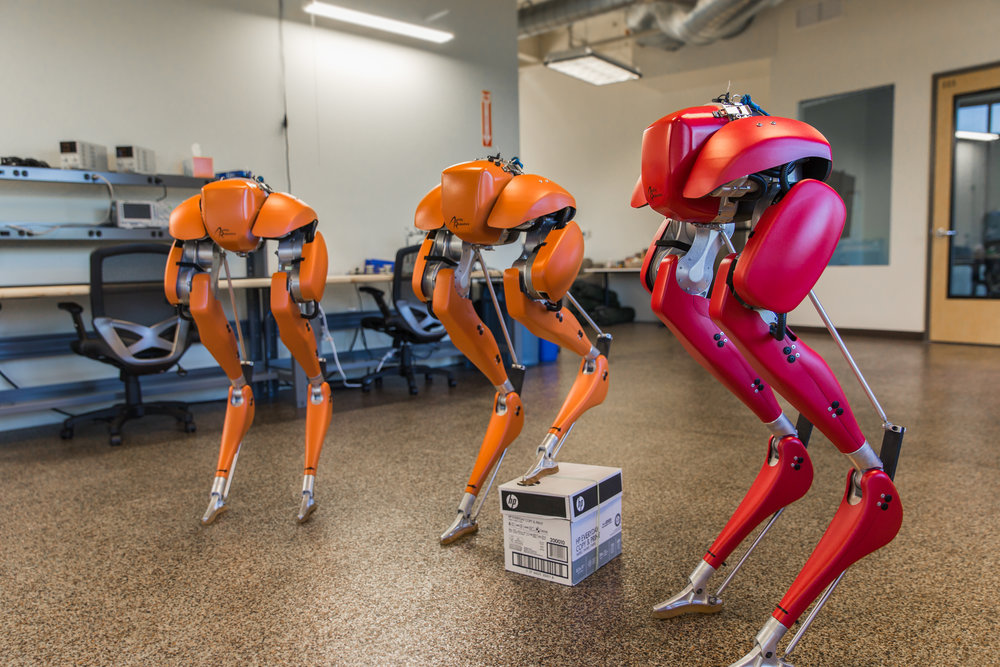
The Pick System Robotic Arm
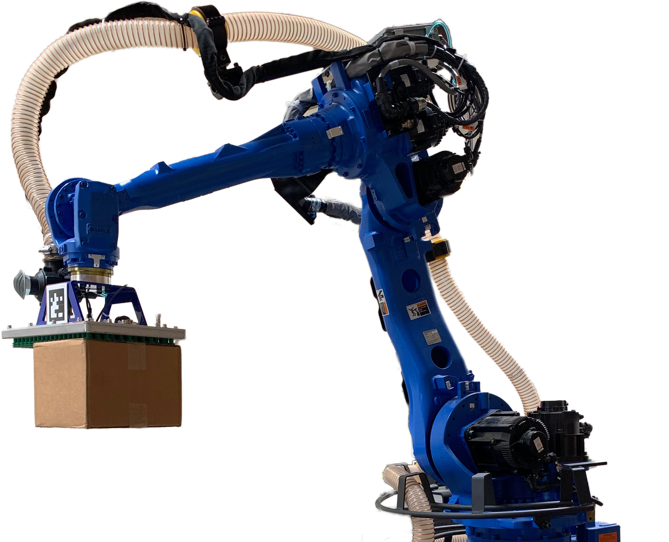
The Boston Dynamics Pick System Robotic Arm
The vision processing solution that uses deep-learning to enable building and depalletizing of mixed-SKU pallets. The Pick system integrates high resolution 3D and 2D sensing to accurately locate a wide variety of boxes in challenging environments. Pick’s vision processing is extremely fast, minimizing robot dwell times and maximizing pick rates.
© 2019 Boston Dynamics. All rights reserved.
All the artwork, brand, design, video, logos and content are property of the Boston Dynamics.
Resource
World’s most dynamic Humanoid Robot
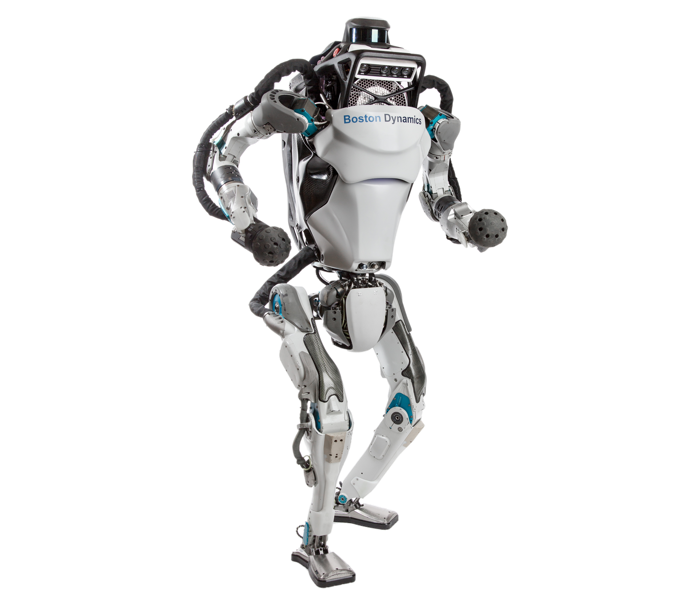
The world’s most dynamic humanoid robot, Atlas is a research platform designed to push the limits of whole-body mobility. Atlas’s advanced control system and state-of-the-art hardware give the robot the power and balance to demonstrate human-level agility.
© 2019 Boston Dynamics. All rights reserved.
All the artwork, brand, design, video, logos and content are property of the Boston Dynamics.
Resource
The Mobile Robot for moving boxes
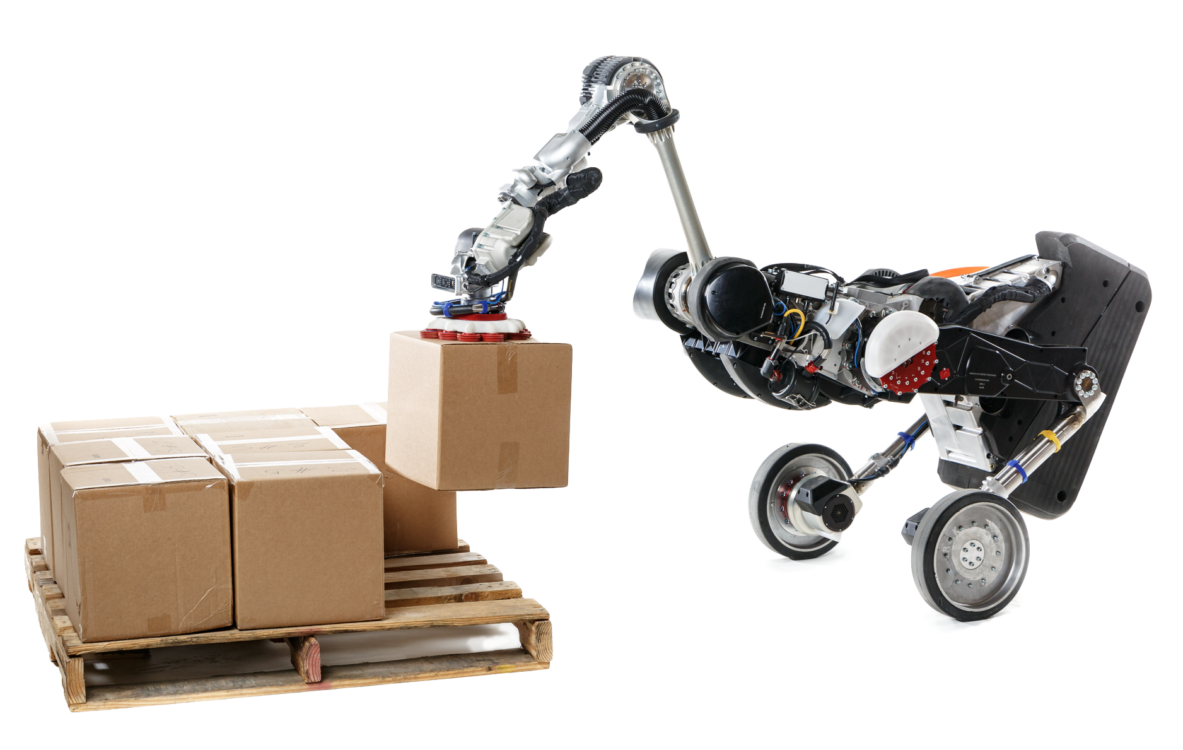
The mobile robot for moving boxes in the warehouse. Handle’s small footprint, long reach, and vision system enable it to unload trucks, build pallets, and move boxes throughout your facility.
© 2019 Boston Dynamics. All rights reserved.
All the artwork, brand, design, video, logos and content are property of the Boston Dynamics.
Resource
A Nimble Robot that climbs stairs
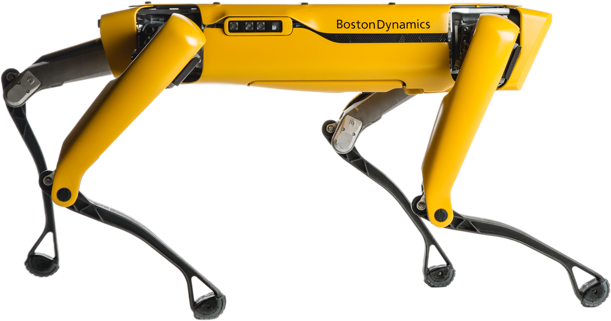
A nimble robot that climbs stairs and traverses rough terrain with unprecedented ease, yet is small enough to use indoors. Built to be a rugged and customizable platform, Spot autonomously accomplishes your industrial sensing and remote operation needs.
© 2019 Boston Dynamics. All rights reserved.
All the artwork, brand, design, video, logos and content are property of the Boston Dynamics.
Resource
Product Name Should Not Exceed 70 Characters
What’s the problem with a product name over 70 characters?
Search Engines such as Google, Bing, Yahoo, and others. We are aware that some of your items have lengthy titles. You can submit titles with up to 150 characters. Still, because Search Engines like Google, Bing, Yahoo, and many others can only display up to 70 characters on shopping ads, we strongly encourage you to submit titles with 70 or fewer characters whenever possible.
Why should you fix this?
Major Search Engines like Google need to shorten product titles when there is limited space, such as on mobile devices. It is essential to use concise titles that convey relevant product information, allowing users to quickly understand what the advertised product is about and what differentiates it from other products.
How can you fix this?
We recommend putting distinctive product attributes at the beginning of the title for all the reasons above. For example, ‘Nexus 7 tablet in black with 32GB of storage’ becomes ‘Nexus 7 tablet, 32GB, black’. In addition, technical specifications are essential for electronics, whereas brand, color, and fabric are more critical for apparel items. This helps the user understand what this product is, even if the title is truncated.
How can I determine the number of characters in the product title?
Copy and paste the product title into a Microsoft Word document. Then, click the REVIEW tab from the top menu, highlight the title entirely, and click the ABC123 Word Count icon on the top left.
Use rich content for your products.
Ensure you use a clear and concise description on your product page and include some information on user applications.
Product Images for Search Engines

Optimizing Your Product Images for Search Engines
Product images can make or break your online shop’s success. You can have a great product, but when the images are good, sales will be right. Your product image is the first thing a customer will look for. These are the essential features of a product page when shopping online:
- Quality of the product images
- View products in all available colors
- Alternate views of the selected item
- Ability to zoom into the details of the product
- Product guides
Choose the correct filename
Image SEO starts with the correct file name. Of course, this is the first location to use that keyword. Without looking at the image, you want Google or any other Search Engine to know what the image is about. It is simple: if your image is a sunrise over Paris with Notre Dame visible, the file name should not be DSC4536.jpg but rather notre-dame-paris-sunrise.jpg. The main keyword is Notre Dame, the photo’s subject.
Your product images play a significant role in conveying the meaning of your technology, vision, business, and hard work. Your product images should be at least 1024px in height or 1024px in width, up to 2048px by 2048px, or 4.2 megapixels. Higher-resolution photos will appear more polished and professional to customers. Use 1024px by 1024px as a guideline for square product images.
Quality of your product images
It seems so obvious to use high-quality images. Do not use a small, blurred, faded, or fuzzy image. People are visual beings, so they will judge your product based on its photo and content, regardless of how fantastic it is! The sale is only possible if the product image accurately reflects the product and its details.
A product image with a good size, high resolution, and a correct file name, e.g., notre-dame-paris-sunrise.jpg. Ranks better for the keyword it is optimized for.

SpotMini Robot Autonomous Navigation