
Frequently Asked Questions for Suppliers
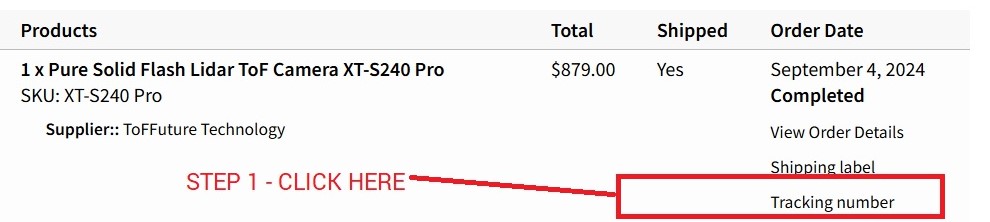
From your DASHBOARD, click ORDERS. Under Order Date, click Tracking Number.
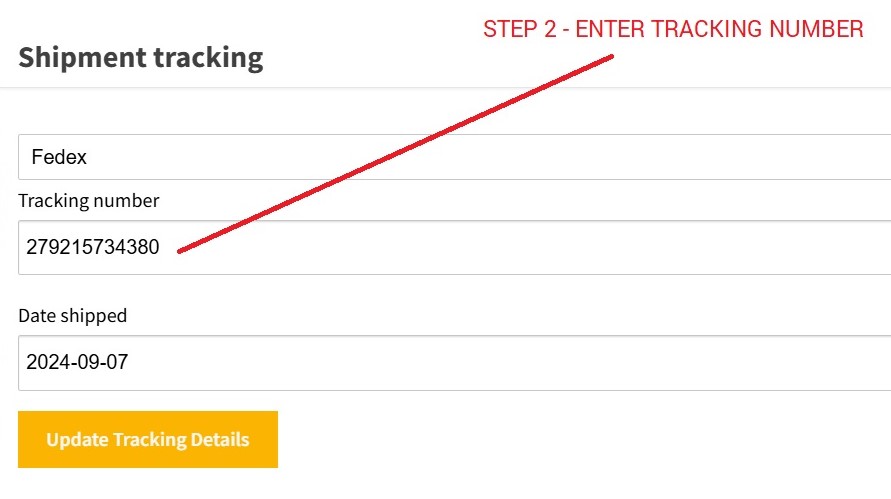
On the pop-up page, select the shipping company, enter your tracking number, and select the Date shipped. Then, click on the Update Tracking Details button.
Tax Status: None
Tax Class: Standard
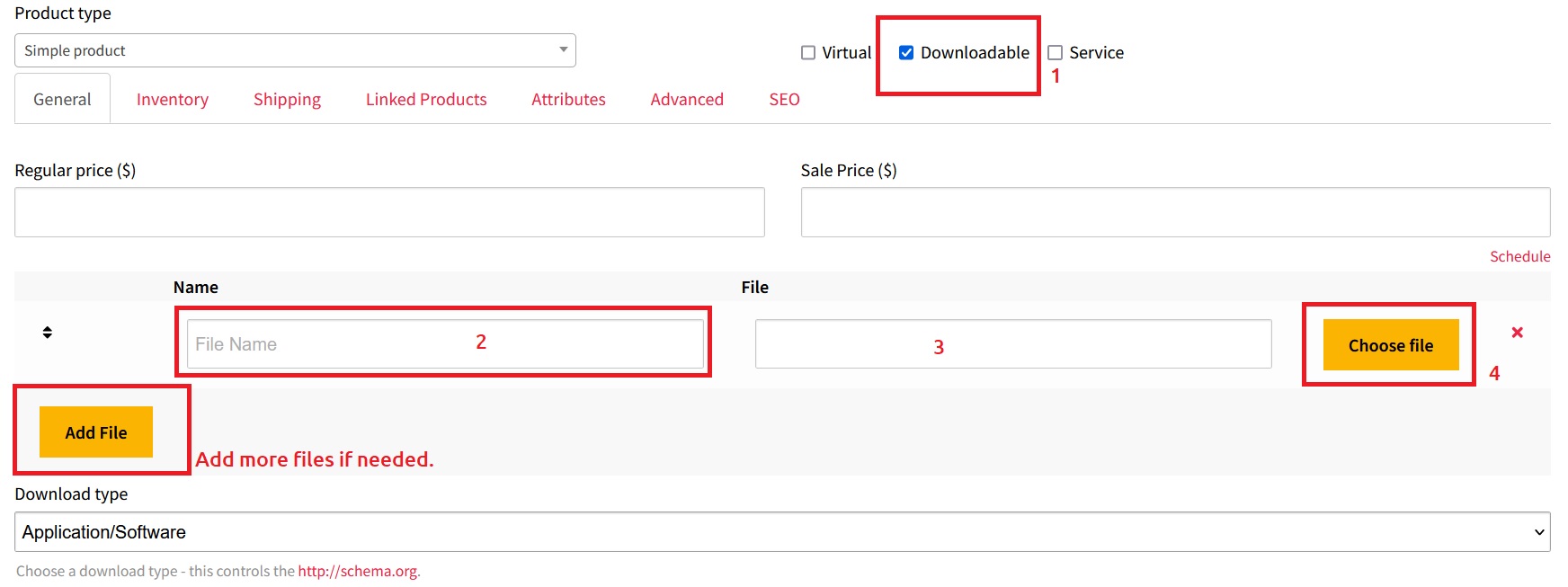
Please upload your Product Documentation, Reference Materials, Manuals, and Tutorials via the “Downloadable” link on the product page. Then click the Add File button to make these files available for download to customers upon purchase.
No, please DO NOT use product images, logos, banners, and other materials that have your website URL and Phone Number in/on them. Your account will be terminated without consent because it is considered spam, and such activity is against our partnership policy.
To allow multiple staff members to access the Vendor Dashboard, you can share the same username and password.
Please upload your Product Documentation (PDF), Reference Materials, CAD or Drawing file(s), Manuals, and Tutorials so they are available for download upon purchase. The customer order confirmation email will include a Downloadable Link to the product file(s), which can also be downloaded from the My Account section if needed.
Please read our Intellectual Property Rights and Protection Policy.
From your DASHBOARD > ORDERS page, scroll down and hover over the ordered product. Choose the Mark Shipped option once you ship the product to the buyer.
From your DASHBOARD > PRODUCTS page, edit each product separately, and enter their shipping fees for each country. No State is required unless it is applicable for your item.
From your DASHBOARD > SETTINGS > SHIPPING page, scroll down until you see the “Shipping Policy” and “Return Policy” boxes. You can enter your Shipping and Return Policies, Refund and Exchange Policies, and clarification for Duty Fees/Taxes for international purchases, whether it belongs to the supplier or the buyer.
Enter your regular retail price.
If you can’t find the answer you’re looking for, please reach out to us via our Contact Us form or email us at partners@ozrobotics.com
Tips for Suppliers
-
Check your SPAM folder to ensure you accept emails from Oz Robotics
-
The faster you respond to our emails, the sooner we can process orders.
-
Add all your products to increase your chance of more sales.
-
Ensure your product isn’t marked as Out of Stock if it is in stock.
-
Add your Products and Shipping Fees per our instructions to sell more.



















